
Print-ready forestry maps with stands and area tables
Build a complete map sheet on the website — UTM SIRGAS 2000 grid, title block, land-use legend, area table, location map, scale and north arrow — and download it as a georeferenced PDF.
Create my map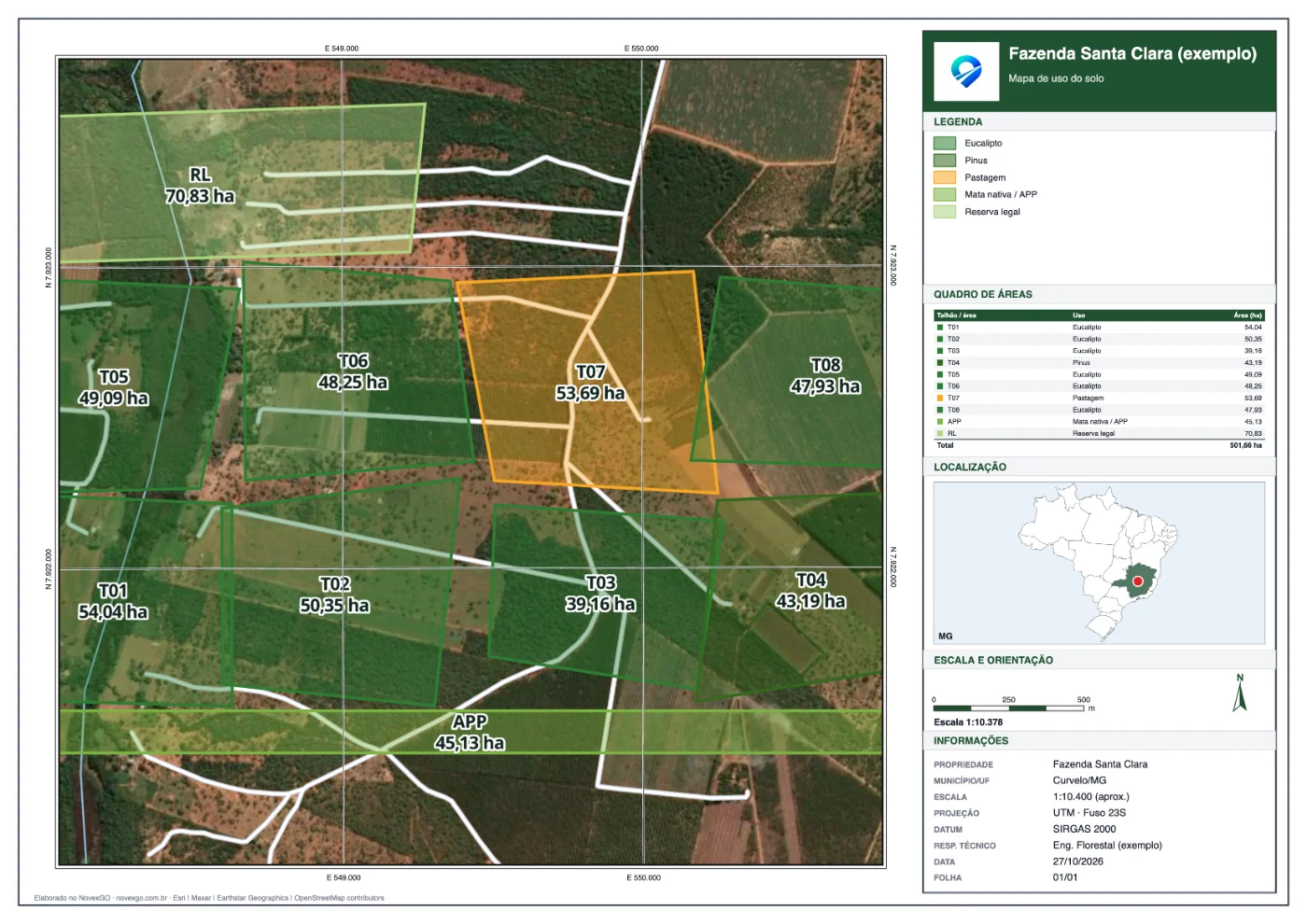
How it works
- 1
Bring your stands
Draw stands on the map or import KML, KMZ, Shapefile (UTM or degrees) or GeoJSON. Hectares are calculated from each outline.
- 2
Choose the sheet
A4 to A0 paper, forestry, technical or simple layout, fixed scale (1:5,000, 1:10,000…) and UTM or degree grid.
- 3
Fill in the title block
Property, municipality, client, technical lead and registration, date and logo. Save it as a template to reuse.
- 4
Download
Georeferenced PDF (opens in Avenza, QGIS and the app), sheet PNG or an atlas with one page per stand.
What the sheet includes
- UTM (SIRGAS 2000) or geographic coordinate grid, labelled on the frame
- Standard land-use colors and legend: eucalyptus, pine, protected areas, pasture…
- Area table with the total in hectares
- Location map with the state highlighted
- Numeric and graphic scale and north arrow
- Street, satellite or hybrid base map
FAQ
Does the PDF open in Avenza Maps and QGIS?
Yes. The PDF is georeferenced on the map frame: it opens in Avenza Maps, QGIS and NovexGO itself, showing your position.
Can I import my stands Shapefile in UTM?
Yes. Upload a .zip with .shp, .dbf and .prj in UTM (SIRGAS 2000/WGS 84) or degrees. Each stand's name and land use are read from the table when available.
How much does it cost?
Creating and downloading maps on the website is free with your NovexGO account.