
GPS for farms and dirt roads, even without signal
Download the map before you go, record the farm tracks regular maps miss and navigate with voice on your phone or Android Auto — with paved and dirt distances shown separately.
I want the app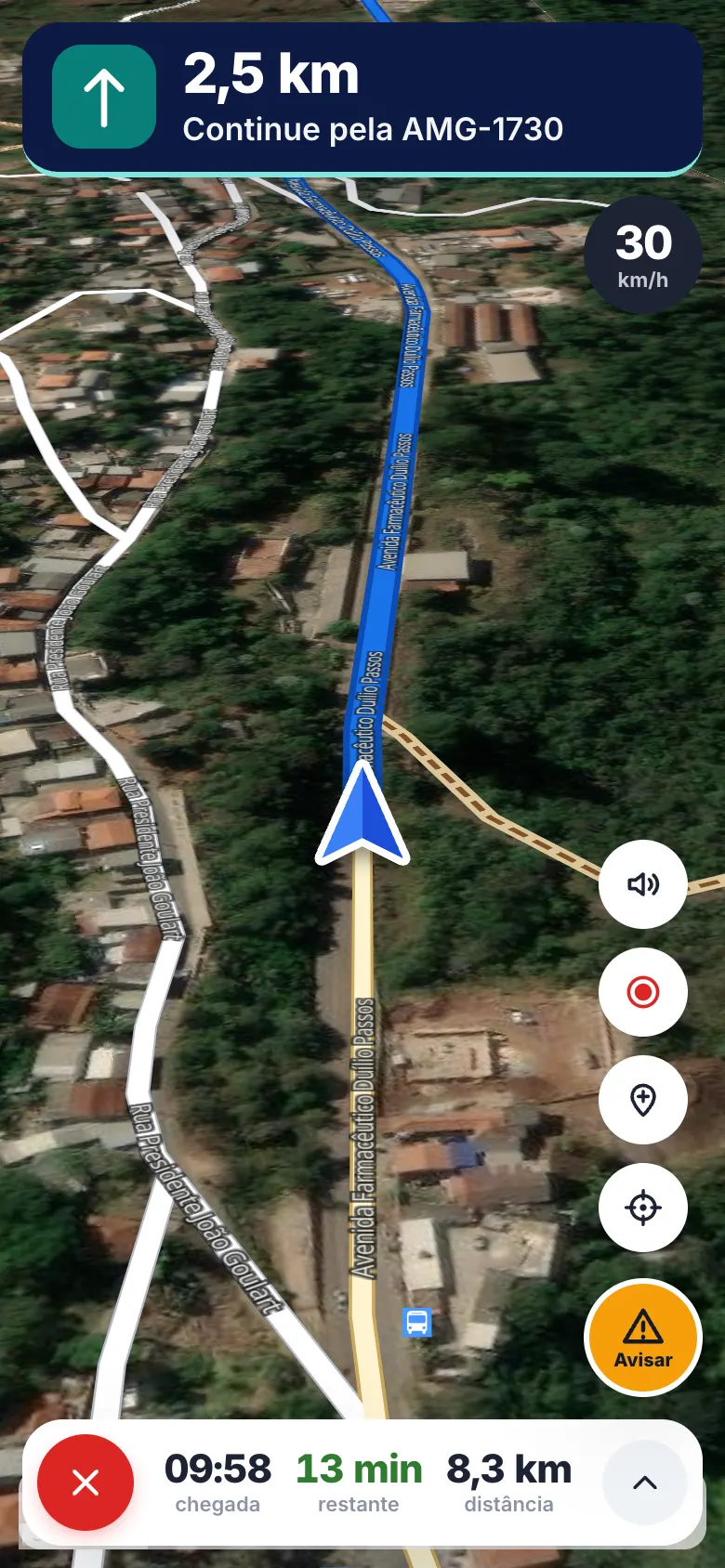
How to use it in the field
- 1
Download the region
Over Wi-Fi, download the area, region or state. The map and your position work without signal.
- 2
Record the tracks
Record routes on farm tracks and internal roads and mark gates, bridges and mud spots.
- 3
Open the farm map
Import the property's georeferenced PDF and see your position on top of it.
- 4
Navigate
Car and truck routes with voice; in the car, use Android Auto.
Made for the countryside
- Downloaded maps to use offline
- Routes with paved and dirt distances
- Truck profile
- Road reports: potholes, mud, animals, bad bridges
- Farm PDF maps with your position
- Android Auto (Apple CarPlay coming soon)
FAQ
Does it work without cell coverage?
Yes. With the map downloaded beforehand, your phone's GPS shows your position and records your track offline. New routes and satellite imagery need a connection.
Does it show the farm's internal roads?
It shows what exists in OpenStreetMap, plus the tracks you record and the property's PDF map.
Does it work on Android Auto?
Yes, with map, route, reports, points and PDF maps on the car screen.